
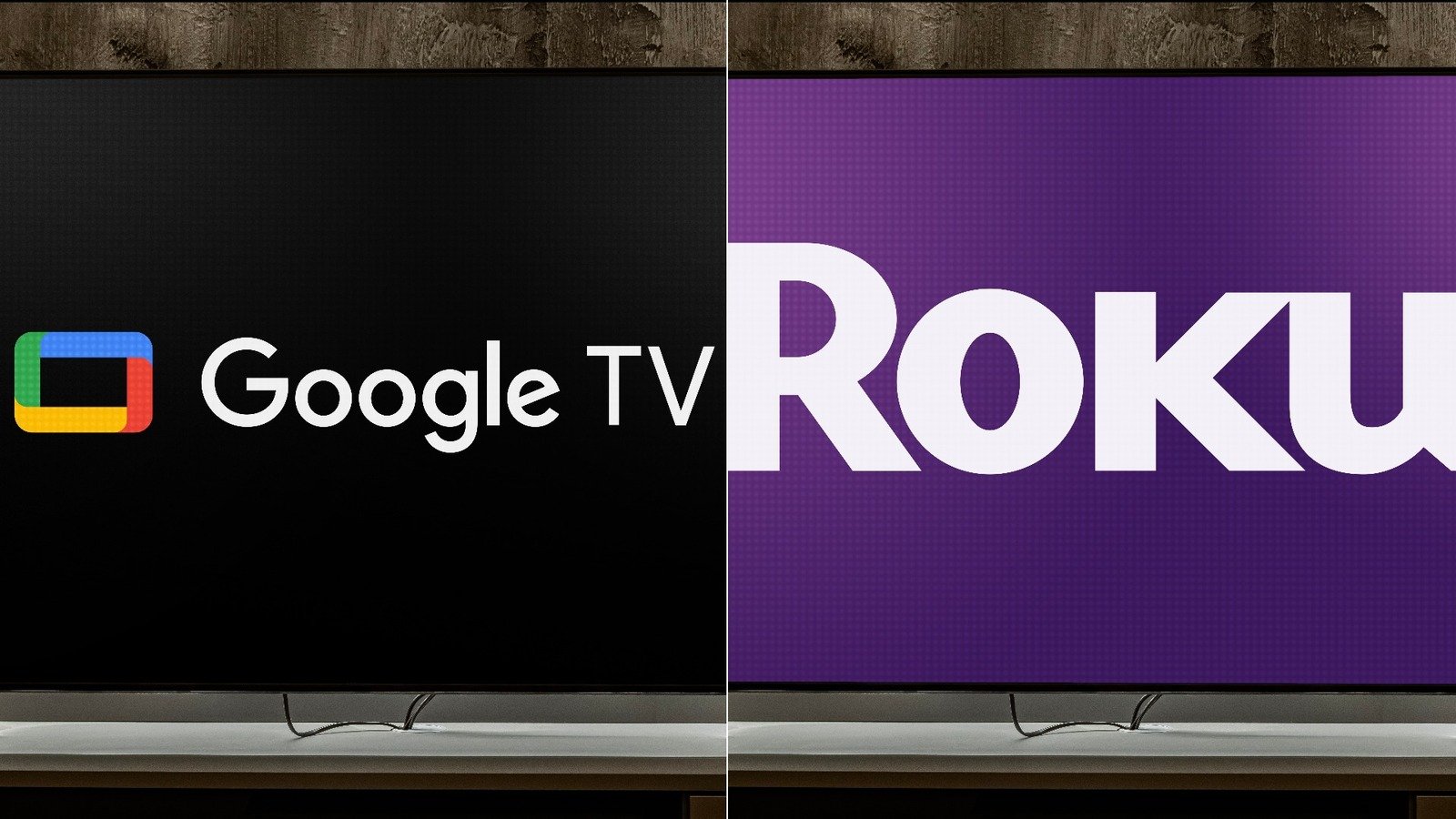
Picking a streaming platform feels less exciting than picking what to watch — but it shapes every viewing experience you’ll have. Whether you’re buying your first smart TV or finally ditching cable for good, the Roku TV vs Google TV debate is one worth settling before you spend a dime.
Roku TV vs Google TV, Both platforms are excellent. Both have millions of loyal users. But they’re built around completely different philosophies — and depending on how you watch TV, one of them will suit you dramatically better than the other.
This guide breaks it all down. No fluff, no filler — just everything you need to make a smart, confident decision.
What Is Roku TV? A Quick Breakdown
Roku didn’t start as a TV operating system. It launched back in 2008 as a little streaming box — one of the first of its kind — and it helped pioneer the idea that you didn’t need cable to watch great content. Over the years it evolved into a full smart TV platform, and today Roku powers tens of millions of TVs across the United States.
The core philosophy behind Roku has always been simplicity. The platform isn’t trying to be clever or show off. It just wants to get you to your content as fast as possible — without asking you to sign into a Google account, link your calendar, or wade through a wall of AI-generated recommendations first.
How Roku TV Works
When you turn on a Roku TV, you’re greeted with a clean, tile-based home screen. Every app — or “channel,” in Roku’s terminology — sits in a grid. You scroll left, right, up, and down. You find what you want and click it. That’s basically it.
There’s a universal search bar that pulls results from across multiple apps simultaneously. Type “Breaking Bad” and Roku will show you every platform where it’s available — along with the price on each. No jumping between apps to compare.
Roku also has its own free, ad-supported streaming service called The Roku Channel, which includes thousands of movies, TV shows, and even live news. It’s genuinely good — and free.
Who Makes Roku TVs?
This confuses a lot of people. Roku itself doesn’t manufacture most of the TVs that run its software. Instead, it licenses the Roku OS to TV manufacturers like:
- TCL — the most popular Roku TV brand in the U.S.
- Hisense — strong value for budget buyers
- Sharp
- Philips
- Westinghouse
However, Roku does now make its own branded TVs. Launched in 2023, Roku-branded TVs are designed entirely in-house and represent the purest Roku experience available. Think of them the way you think of Google’s Pixel phones — same software as everyone else uses, but optimized by the people who built it.
What Is Google TV? Everything You Need to Know
Google TV launched in 2020 as the successor to Android TV — and it’s a significant step forward. Where Android TV was a somewhat clunky, app-drawer-style interface, Google TV brought a polished, content-first design that feels genuinely modern.
The big idea behind Google TV is personalization. It doesn’t just show you a list of apps. It pulls content recommendations from across all your streaming subscriptions simultaneously, surfaces things it thinks you’ll love, and organizes everything into a single, unified feed. If Netflix, HBO Max, and Disney+ all have something relevant to your taste, Google TV will surface them side by side — without you having to open each app individually.
Google TV vs. Android TV — Don’t Confuse the Two
This distinction matters. A lot of people use these terms interchangeably and end up confused.
| Feature | Android TV | Google TV |
| Interface | App-drawer grid | Content-first recommendation feed |
| Google account required | Optional | Strongly integrated |
| Personalization | Basic | Advanced AI-driven |
| Release year | 2014 | 2020 |
| Current status | Being phased out | Active and updated |
If your TV says “Android TV,” it’s running the older platform. Google TV is the newer, smarter version — and it’s what you’ll find on current Sony Bravia XR sets, newer TCL models, and all Chromecast with Google TV devices.
How Google TV Works
Sign in with your Google account and Google TV immediately starts learning. It tracks what you watch, what you search for, and what’s in your various streaming watchlists. Over time, the recommendations get sharper. The home screen becomes a genuinely curated destination rather than a generic menu.
Google TV also supports multiple user profiles, so different people in your household get different recommendations. Your partner’s obsession with true crime documentaries won’t pollute your sci-fi feed. That’s a practical, real-world advantage that Roku still hasn’t fully matched.
The Google Ecosystem Advantage
If you’re already living in the Google ecosystem — using Gmail, Google Photos, Google Calendar, or an Android phone — Google TV slots in naturally. You can:
- Cast content directly from your phone with Google Cast
- Control your TV using Google Assistant voice commands
- Use Google Home to integrate your TV into your smart home setup
- Access Google Photos as a screensaver or ambient display
It’s a genuinely connected experience. For some people, that’s the whole ballgame.
Roku TV vs Google TV — The Head-to-Head Comparison
Here’s where things get interesting. Let’s go feature by feature and see how these two platforms actually stack up against each other.
User Interface — Which Is Easier to Navigate?
Roku’s interface is about as simple as a smart TV OS gets. The home screen is a grid of tiles. Apps are called channels. Everything is labeled clearly. There’s almost no learning curve — even for someone who’s never used a smart TV before. As tech reviewer Marques Brownlee once put it, “Roku’s biggest strength is that it never gets in your way.”
Google TV’s interface is more visually ambitious. The home screen is divided into tabs:
- For You — personalized recommendations
- Live — live TV from connected apps
- Movies — browseable movie catalog across apps
- Shows — same, but for TV series
- Apps — your full app library
It looks great. But it takes a few days to feel natural — especially if you’re used to Roku’s stripped-down approach. The recommendations can also feel intrusive early on, before the algorithm has learned your preferences.
Bottom line: Roku wins on simplicity. Google TV wins on depth.
Content Library and App Selection
Both platforms support all the major streaming services. You won’t find yourself unable to access Netflix, Disney+, Max, Hulu, Apple TV+, Peacock, Paramount+, or Amazon Prime Video on either platform.
The differences show up in smaller, niche apps.
| App Category | Roku TV | Google TV |
| Total available apps | 5,000+ | 10,000+ |
| Free ad-supported apps | Excellent (Roku Channel) | Good |
| Gaming apps | Limited | Better selection |
| International content apps | Strong | Strong |
| YouTube TV | ✅ | ✅ |
| Apple TV+ | ✅ | ✅ |
| Amazon Prime Video | ✅ | ✅ |
Google TV technically offers more apps — largely because it inherits Android’s app ecosystem through the Google Play Store. But for most everyday viewers, both platforms cover everything they need.
One notable gap worth mentioning: YouTube had a brief standoff with Roku in 2021 that left some Roku users temporarily without access. The dispute was resolved, but it highlighted the platform’s vulnerability to licensing fights — something Google TV, obviously, doesn’t share when it comes to Google’s own apps.
Search and Discovery — Finding What You Want to Watch
This is where the platforms diverge most sharply.
Roku’s universal search is functional and fast. Type a title and it’ll show you where it’s available across your installed apps, ranked by price. It’s transparent, useful, and unbiased. Roku doesn’t prioritize one streaming service over another — it just shows you the options.
Google TV’s discovery engine is more sophisticated but less neutral. It’s built around your Google account’s viewing history, app watchlists, and behavioral data. The “For You” tab surfaces content you genuinely might not have found on your own — and over time, it gets impressively accurate.
The tradeoff? Google TV’s recommendations are shaped by data collection. If that doesn’t bother you, it’s a genuinely better discovery experience. If privacy is a priority, Roku’s simpler, less personalized approach might feel cleaner.
Performance and Speed
Neither platform is sluggish on modern hardware — but entry-level devices on both sides can show their limitations.
- Budget Roku TVs (under $200) occasionally show slower app-launch times and choppy menu scrolling
- Budget Google TV devices can lag too, especially older Chromecast with Google TV sticks
- Mid-range and premium devices on both platforms perform smoothly and responsively
One area where Google TV consistently impresses: background processing. The recommendation engine runs quietly in the background, so when you open the app it’s already loaded with fresh suggestions. Roku’s home screen, by contrast, sometimes takes a beat to populate.
Voice Control and Smart Assistant Integration
| Feature | Roku TV | Google TV |
| Built-in voice assistant | Roku Voice | Google Assistant |
| Amazon Alexa support | ✅ (on select devices) | ✅ |
| Apple Siri support | ❌ | ❌ |
| Natural language commands | Basic | Advanced |
| Smart home control | Limited | Extensive (via Google Home) |
| Search by mood/genre | Basic | Strong |
Google Assistant on Google TV handles natural language beautifully. You can say things like “Show me funny movies from the 90s” or “Find something good to watch on Netflix” and get useful, contextual results. Roku Voice works well for direct searches but struggles with open-ended, conversational commands.
If you use voice control regularly, Google TV wins this category without much debate.
Privacy — What Data Are You Handing Over?
Both platforms collect user data. Neither is perfectly private. But they collect it differently — and that distinction matters.
Roku makes significant revenue from advertising. It tracks viewing behavior across its platform and sells that data to advertisers. In 2023, Roku faced criticism after a security breach exposed account data. The company has also faced scrutiny for its ACR (Automatic Content Recognition) technology, which monitors what plays on your screen.
Google TV is tied to your Google account — which means it inherits Google’s extensive data ecosystem. Google knows what you search, what you watch, what you buy, and where you go. The upside: all that data powers smarter recommendations. The downside: you’re feeding one of the world’s largest data-collection companies.
Privacy verdict: Neither platform gets a clean bill of health. Roku collects less data overall but has a shakier security track record. Google collects more data but within a more mature, regulated framework. If privacy is your top priority, consider a platform like Apple TV instead.
Gaming and Kids’ Modes
Neither Roku TV nor Google TV is a serious gaming platform — that’s what PlayStation and Xbox are for. But for casual gaming:
- Google TV connects to Google Stadia (now defunct) but supports cloud gaming services like NVIDIA GeForce Now and Xbox Cloud Gaming through the browser
- Roku TV has a small selection of simple games but nothing approaching a real gaming ecosystem
For parental controls, both platforms offer content filters and PIN protection. Google TV edges ahead with:
- Per-profile content ratings
- Supervised mode for kids with curated content
- Integration with Google Family Link
Roku’s parental controls are functional but more basic by comparison.
Google TV vs Roku TV — Price and Value
Budget Options
You can get into both platforms cheaply. Entry-level options include:
Roku:
- Roku Express 4K+ — around $39
- TCL 4-Series Roku TV (43″) — around $230
Google TV:
- Chromecast with Google TV (HD) — around $30
- TCL S-Class Google TV (43″) — around $250
At the budget end, the prices are nearly identical. The Chromecast with Google TV HD stick is actually one of the best deals in streaming right now — tiny, fast, and fully featured.
Mid-Range and Premium Picks
| Device | Platform | Price Range | Best For |
| TCL 5-Series | Roku TV | $350–$500 | All-around value |
| Hisense U6 Series | Google TV | $400–$600 | Picture quality |
| Sony Bravia XR A80L | Google TV | $1,500+ | Premium buyers |
| Roku Pro Series TV | Roku TV | $1,000+ | Roku loyalists |
| TCL QM8 Series | Google TV | $800–$1,200 | Bright room viewing |
Sony’s Bravia XR lineup — which runs Google TV — consistently earns top marks from reviewers at RTINGS.com. If picture quality is your north star, the Sony-Google TV combination is hard to beat. These are best roku tv vs gogal tv.
Roku TV vs Google TV for Specific Use Cases
Best for Families
Winner: Google TV — barely.
Google TV’s multi-profile support is genuinely useful for households with different viewing preferences. The supervised kids’ mode is more robust than Roku’s offering and integrates with Google Family Link for broader parental oversight. Roku works fine for families but feels less tailored to households with multiple distinct viewers.
Best for Cord-Cutters
Winner: Roku TV
Roku was literally built for cord-cutters. The Roku Channel alone offers hundreds of free movies and shows with no subscription required. Combined with Roku’s excellent live TV app support and its unbiased universal search (which includes free options alongside paid ones), it’s the more natural home for anyone ditching cable.
Best for Smart Home Users
Winner: Google TV — by a mile
If you’ve got Google Nest speakers, Nest cameras, smart lights, or any Google Home-connected device, Google TV integrates seamlessly. You can control your entire smart home from your TV, use your TV as a display hub for Nest cameras, and automate routines that include your TV. Roku’s smart home integration is limited by comparison.
Best for Seniors or Non-Tech-Savvy Users
Winner: Roku TV
There’s a reason Roku dominates in the over-55 demographic. The remote is simple. The interface doesn’t try to be clever. Nothing requires a Google account. Setup takes about ten minutes. Many seniors report that Roku is the first smart TV platform they’ve genuinely felt comfortable with — and that’s not an accident. Simplicity is a design choice Roku makes deliberately.
Best for Streamers Who Want Personalization
Winner: Google TV
If you watch a lot of content across multiple platforms and want your TV to help you discover new things, Google TV’s recommendation engine is the best in the business at the smart TV level. It learns fast, adapts well, and surfaces genuinely relevant content rather than just popular titles.
Real User Experiences — What Are People Actually Saying?
Spend twenty minutes on Reddit’s r/Roku and r/GoogleTV communities and some clear patterns emerge.
Common Roku Praise:
- “It just works. Every time.”
- “My 70-year-old mother figured it out in five minutes.”
- I appreciate that it doesn’t require me to log in on any platform.
- “The Roku Channel has more free stuff than I expected.”
1. Roku Complaints:
- Ads on the home screen feel intrusive
- Personalization is weak compared to competitors
- Smart home integration is limited
- Voice search handles only straightforward queries
2. Google TV Praise:
- The suggestions truly led me to view content that I would not have discovered otherwise.
- “Works perfectly with my Nest devices.”
- “Google Assistant voice control is genuinely impressive.”
- “Multiple profiles are a game-changer for our household.”
3. Common Google TV Complaints:
- Privacy concerns around data collection
- The interface takes time to learn
- Occasionally slow on budget hardware
- Some users find the recommendation feed overwhelming
The honest truth? Both communities are overwhelmingly satisfied with their platforms. The complaints are real but minor. Most people who buy either platform stick with it.
The Verdict — Should You Choose Roku TV vs Google TV?
if someone as me that what is diffrence between, roku tv vs gogal tv
Choose Roku TV If…
- You desire the most straightforward smart TV experience available.
- You’re buying a TV for a senior or first-time smart TV user
- You want strong free content options without subscriptions
- Privacy matters more to you than personalization
- You don’t use Google services much in daily life
- You want to avoid algorithm-driven recommendations
Choose Google TV If…
- You’re already deep in the Google ecosystem (Android phone, Gmail, Google Home)
- You have a multi-person household that benefits from separate profiles
- You want AI-driven content discovery across all your streaming apps
- You use voice control frequently and want natural language support
- You’re buying a premium TV — most top-tier Sony sets run Google TV
- Smart home integration is important to you
Still Can’t Decide? Here’s the Tiebreaker
Ask yourself this one question: Do you use Android or iPhone?
If you’re an Android user with Google apps woven into your daily life, Google TV will feel like a natural extension of your world. If you don’t use Google services regularly — or if you just want a TV that turns on and plays things without fuss — Roku is your answer.
Frequently Asked Questions About Roku TV vs Google TV
Is Roku TV better than Google TV?
Roku Tv vs Gogal Tv, Neither is objectively better — they serve different users. Roku is better for simplicity, privacy, and free content. Google TV is better for personalization, smart home integration, and multi-profile households. The best platform depends entirely on how you watch TV.
Can you get Google TV on a Roku device?
No. Roku runs its own proprietary operating system and doesn’t support Google TV. If you want Google TV, you’ll need a compatible device — like a Chromecast with Google TV, a Sony Bravia, or a Google TV-powered TCL set.
Which has more apps — Roku or Google TV?
Google TV has more apps overall, with access to 10,000+ through the Google Play Store. Roku offers 5,000+ channels. Both cover all major streaming services, so for most users the difference won’t matter day-to-day.
Is it possible to use Google TV without having a Google account?
Technically yes — you can set up Google TV in guest mode without signing in. But you’ll lose most of the platform’s best features: personalized recommendations, multi-profile support, Google Assistant, and Google Home integration. You’d essentially be using a stripped-down version of the platform.
Is Roku TV being discontinued?
No. As of 2026, Roku is actively expanding — launching new branded TVs, updating its OS regularly, and growing its advertising business. It remains one of the most widely used smart TV platforms in the United States.
Which streaming platform is best for 4K HDR content?
Both platforms support 4K HDR, Dolby Vision, and HDR10. The picture quality difference comes from the TV’s display hardware, not the operating system. For the best 4K HDR experience, look at Sony Bravia XR TVs (Google TV) or TCL 6-Series TVs (Roku) — both are outstanding.